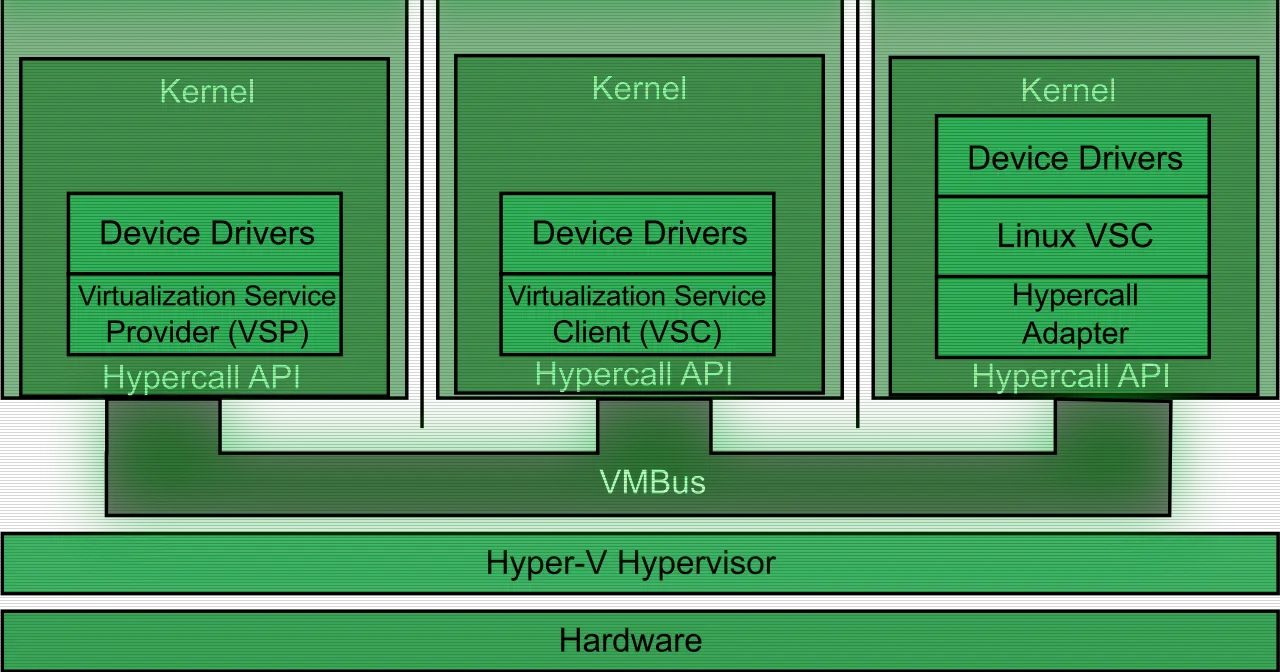
Hyper-V is Microsoft’s hardware virtualization technology, built into Windows Server and Windows. It lets you create, manage and run virtual machines on the same physical box, and it ships with the operating system, so there’s no separate hypervisor license to buy.
The key part of its design is that it’s a type-1 hypervisor, also called bare-metal. Instead of running as another app on top of Windows, Hyper-V sits directly on the hardware, and Windows itself runs as a partition above it. That gives Hyper-V its two defining traits: near-native performance and strong isolation between workloads. A compromised virtual machine has no direct path to the others or to the hardware.
Which operating systems it can run
As guests, Hyper-V supports many versions of Windows, Linux and FreeBSD. That makes it a fit both for consolidating Windows servers and for running mixed labs with Linux distributions. If you work with several systems at once, each one gets its own VM without dedicated hardware per test.
Windows Server vs Windows
There are two flavors of Hyper-V with different capabilities, and it’s worth keeping them apart.
On Windows Server, it’s built for enterprise deployments. This is where the serious virtualization features live: live migration to move running VMs without downtime, high availability through Failover Clustering with Cluster Shared Volumes, disaster recovery with Hyper-V Replica (an RPO as low as 30 seconds), and storage options ranging from local disks to Storage Spaces Direct or SAN arrays over iSCSI and Fibre Channel. Hyper-V is available as a server role across all editions of Windows Server 2025, and you can install it with the full Desktop Experience or as Server Core to cut down the attack surface.
On Windows 11, it’s a lightweight option included in the Pro, Enterprise and Education editions. Here the goal is development and testing: spin up an isolated environment, try a patch before it touches production, or keep a copy of the real configuration. Windows 11 adds Quick Create to set up machines in a few clicks.
Who it’s for and how it fits
If you run Windows infrastructure, Hyper-V is the natural way to get more out of your hardware: more machines per server, less datacenter space, lower power draw. For developers and IT staff, the value is being able to build test environments that mirror production and roll them back with checkpoints when something breaks.
In a wider virtualization setup, Hyper-V plays the same role that KVM, Proxmox VE or XCP-ng cover in the Linux world, but anchored to the Microsoft stack: it integrates with Active Directory without extra configuration, with Windows Admin Center, with System Center Virtual Machine Manager, and with Azure for hybrid scenarios. It’s also the foundation of Azure Local. If your fleet is mostly Windows, that integration saves you work; if you run Linux hosts, you may want to compare it with alternatives such as XCP-ng.
Getting started
To use it you enable the role (on Windows Server) or the Windows feature (on the supported Windows 11 editions). From there, Hyper-V Manager handles day-to-day graphical management, and the Hyper-V module for PowerShell lets you automate the rest.