
For years Arch Linux meant raw power and, at the same time, a learning curve that scared off a good share of newcomers. Installing the system from a console, configuring every component by hand, and keeping a rolling-release model running without a safety net was not for everyone. That is where Manjaro came in, a project that wanted to keep the best of Arch but wrap it in something approachable. This is its story.
The origins in 2011
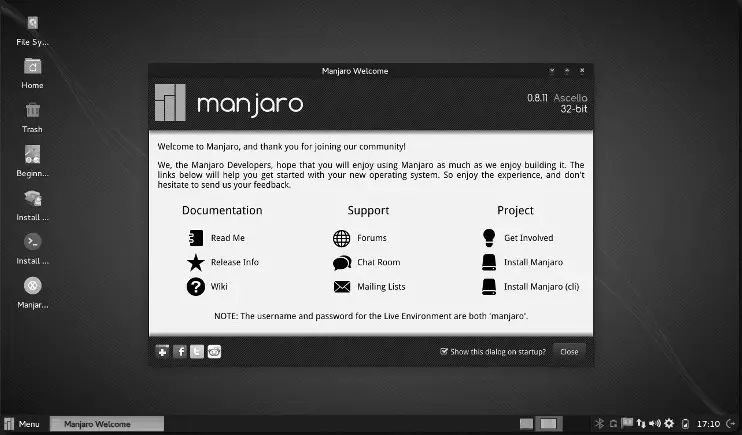
Manjaro first showed up on 10 July 2011. Behind it was a small group of European developers, among them the Austrian Roland Singer and Philip Müller, known in the community as philm. The name, oddly enough, comes from Mount Kilimanjaro, the African mountain one of the founders had climbed.
The aim was clear from day one: take Arch’s technical foundation and clear away its barriers to entry. The earliest releases, the 0.x series, went into building the system’s core, with a graphical installer, preconfigured desktops, and the first in-house tools that would later shape the project’s identity.
Bringing Arch to everyone
Manjaro’s big promise has always been to put Arch within reach. Where the parent distribution makes you assemble the system piece by piece, Manjaro offers a simple installation through a graphical wizard that anyone can follow. Today that installer is Calamares, the same one used by many modern distributions.
And it does not stop at installation. Manjaro ships with ready-to-use desktops, drivers detected on their own, and a default set of applications that save you the long initial configuration sessions. It is the perfect bridge for anyone who has heard good things about Arch but does not want to stare at a blank terminal.
Its own repositories for greater stability
One of Manjaro’s most important technical calls was not to pull straight from Arch’s repositories. Instead, the team keeps its own, where packages go through a testing period before they reach users.
That small, deliberate delay sums up the philosophy: keep the dynamism of the rolling-release model, always with recent software, while adding an extra layer of control that cuts down on unexpected breakage. Against the total immediacy of Arch or of more purist derivatives like EndeavourOS, Manjaro wants the everyday desktop to simply work. Even so, it keeps access to the AUR, that huge community repository that is one of the great jewels of the Arch world.
A desktop for every taste
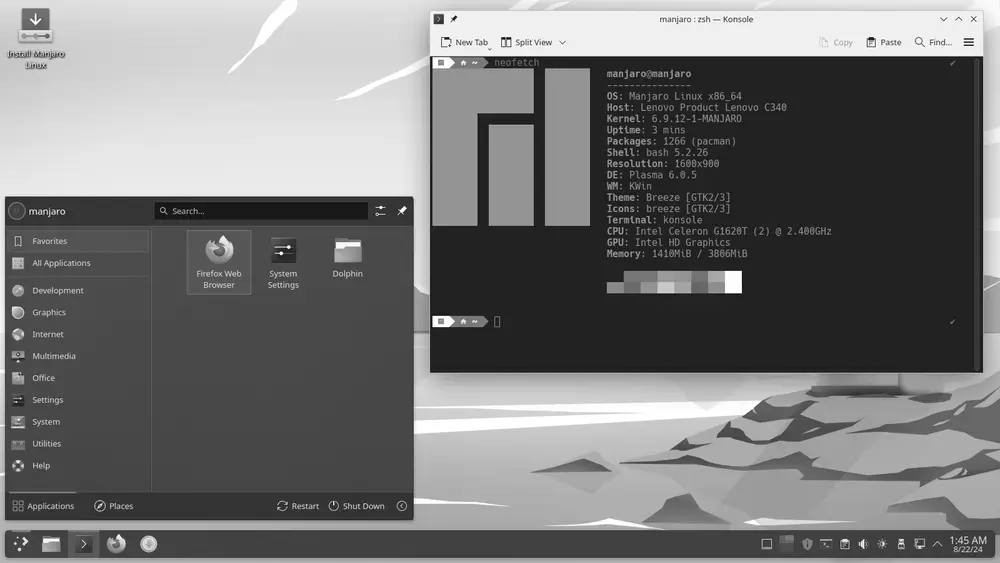
From its early days, Manjaro set out to offer official editions with different desktop environments. The three main ones have been XFCE, KDE Plasma, and GNOME, each polished and adapted with the distribution’s signature style.
The XFCE edition became its flagship thanks to its balance of lightness and functionality, fine even on modest machines, which puts it close in spirit to options like MX Linux or Lubuntu. KDE Plasma draws in people after customisation and flair, while GNOME wins over fans of a modern, minimalist desktop. The community has also kept editions going with MATE, Cinnamon, i3, and other environments, so the choices reach well beyond the official lineup.
In-house tools that make the difference
If anything sets Manjaro apart, it is its set of exclusive utilities. The Manjaro Settings Manager gathers system configuration in one place, from languages to user accounts. MHWD (Manjaro Hardware Detection) handles detecting and installing the right drivers, free or proprietary, without making you wrestle with the command line.
Maybe its most praised tool is the kernel manager. Manjaro lets you install, test, and switch between several versions of the Linux kernel in just a few clicks, which comes in incredibly handy when hardware compatibility issues crop up. On top of that comes Pamac, its graphical package manager, which makes installing software as easy as browsing any app store. Next to the more manual handling of Gentoo or even Void Linux, Manjaro feels remarkably comfortable.
A consolidated distribution
Over the years, Manjaro left the amateur-project stage behind and turned professional. In September 2019, Manjaro GmbH & Co. KG was set up, the entity that lets it sign commercial agreements, form partnerships, and offer professional services. That backing opened the door to working with hardware makers such as Pine64, Tuxedo, and Star Labs, which sell machines with Manjaro already installed.
The project also reached into the ARM world and mobile devices, ending up as the default system on the PinePhone with Plasma Mobile. Today Manjaro remains one of the most popular desktop distributions, proof that you can enjoy the power of Arch without giving up comfort. For many users coming from Ubuntu or Linux Mint, it is the natural first step into the rolling-release world.